Download the 666a App – Fast APK for Android
The 666a App puts cricket betting, live casino and instant JazzCash payments right on your Android phone. Free to download, no registration needed to install. Just download the APK, tap to install, and you are ready to play within minutes.
- SSL Encrypted
- Android 8.0+
- 24/7 Support
- JazzCash & Easypaisa
- 18+ Only
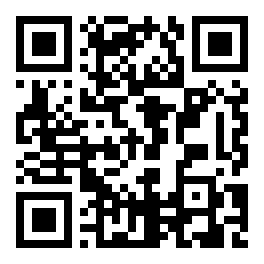
Scan to download
Get the 666a App File
Everything you need before you tap "Install." Check your Android version matches, then hit the download button.
| Detail | Info |
|---|---|
| File Name | 666a.apk |
| Version | 2.8.10 |
| File Size | 36 MB |
| Min Android | Android 8.0 (Oreo) |
| Last Updated | 21 November 2026 |
| Price | Free |
| Languages | English, Roman Urdu |
| Platform | Android (APK sideload) |
iPhone / iOS Users
There is no App Store listing for 666a. iPhone users can add the mobile site to their home screen for a near-app experience. It loads the full game lobby without any install.
- Open 666a.im in Safari on your iPhone.
- Tap the Share button (box with upward arrow) at the bottom of the screen.
- Scroll down and tap "Add to Home Screen."
- Tap Add in the top-right corner to confirm.
- The 666a icon now appears on your home screen – tap it to open the full site instantly.
For a detailed walkthrough, see our iPhone access guide.
Games Waiting in the App

The 666a App gives you full access to over 2,200 games from providers like Pragmatic Play, Evolution, JILI, Spribe and Habanero. You are not getting a cut-down mobile version — every game that runs on desktop runs in the app.
- Slots, Live Casino, Fishing, Crash
- Cricket & PSL live betting
- Deposit from Rs 750 via JazzCash
- Withdrawal to Easypaisa in ~9 minutes
- Push notifications for PSL match alerts
Install the APK on Your Android Phone
Android blocks APK files from outside the Play Store by default. These five steps walk you through turning that setting on, downloading the file, and getting into the app. The whole process takes about three minutes on a standard 4G connection.
Go to Settings › Security (or Privacy). Enable "Install unknown apps" for your browser or file manager. On Android 8.0+ this is per-app.
Tap "Download APK" on this page. The 36 MB file saves to your Downloads folder. Keep the page open until download completes.
Open your Files / My Files app, go to Downloads, and tap 666a.apk. Android will ask if you want to install it — tap Install.
The install takes under 20 seconds. When you see "App installed," tap Open to launch 666a immediately.
Sign in with your existing account or tap Register to open a new account. First-time deposit bonus applies.
Stuck on a step? See the troubleshoot section below or visit our App Install Problems guide for step-by-step screenshots.
What the App Does Well
The app is built around the way Pakistani players actually use their phones: 4G connections, JazzCash wallets, and quick sessions between overs. Here is what stands out in daily use.
One-Tap Login
Biometric login (fingerprint / face unlock) on supported phones. No typing your password every time.
Deposit & Withdraw
JazzCash, Easypaisa, Raast and Bank Transfer — all inside the app. Deposit from Rs 750, withdraw from Rs 2,000.
Live Casino Stream
HD live tables from Evolution and JILI load smoothly on 4G. Single Deck Blackjack, Teen Patti 20-20 and more.
Cricket & PSL Betting
Live match odds for PSL and international T20s update in real time. Place in-play bets on individual overs.
Push Notifications
Get alerts for match start, bonus expiry and withdrawal confirmation. Turn them on or off in app settings.
Dark Mode & Brightness
The app respects your phone's dark mode setting. Useful for late-night sessions — easier on the eyes and the battery.

Already have an account? Log in here and pick up where you left off — your balance, bonuses and game history are all synced.
App or the Mobile Browser?
Both work. Here is the honest breakdown so you can pick the right one for your situation.
Our recommendation: install the APK if you are on Android and play more than a few times a week. Use the browser version if you are on iPhone or trying the site for the first time. Need help accessing the site on a browser? See the Web Version Access guide.
Running 666a on a Budget Phone or Slow Connection
Not every player has a flagship phone or fibre broadband. These settings and habits help the app run smoothly on 2 GB RAM Android devices and unstable 3G networks.
- Free up space first. The APK needs 36 MB to install plus room to run. Delete unused apps or photos so Android has at least 200 MB free.
- Close background apps. On low-RAM phones, open the recent apps panel and swipe away everything before launching 666a.
- Use low-quality video in Live Casino. Inside the live table, tap the gear icon and set stream quality to "Low" or "Auto." Cuts data use by roughly half.
- Play Slots on 3G. Slots use far less data than live streams — a good option when your signal drops below 4G.
- Turn off animations. In Android Developer Options, reduce Window/Transition/Animator scale to 0.5×. The app feels noticeably faster on slower hardware.
- Use Wi-Fi for deposits. Always confirm your deposit or withdrawal on a stable connection. If the app closes mid-transaction, the payment still processes — but check your balance before retrying.
- Enable battery saver after long sessions. The app works normally in battery saver mode. Live casino streams may throttle slightly, which is usually fine.
- Keep the app updated. New versions (check Settings › About in the app) often include performance fixes for mid-range devices.
Fix Common Installation Problems
Five issues account for almost every install failure. Find your error below and follow the fix.
| Problem | Likely Cause | What to Do |
|---|---|---|
| "Install blocked" / "Unsafe app" | Android Play Protect is on; unknown sources not enabled for your browser | Go to Settings › Security › Install unknown apps, select your browser (Chrome / UC / Firefox), and toggle it on. Then re-tap the APK file. |
| "Parse error" / "There is a problem parsing the package" | APK file corrupted during download or Android version below 8.0 | Delete the partial file from Downloads, reconnect to a stable network, and download 666a.apk again from this page. Check your Android version is 8.0 or above in Settings › About Phone. |
| "Not enough storage" | Less than 50 MB free on internal storage | Delete photos, unused apps or move files to an SD card. Free at least 100 MB, then retry the install. The app itself is 36 MB. |
| App installs but crashes on open | Older cached version conflicting with new APK, or RAM too low at launch | Uninstall the old version first (Settings › Apps › 666a › Uninstall), then install the fresh APK. Also close all background apps before opening. |
| Download stops at 0% or stalls | Weak mobile data or browser blocking direct APK download | Switch to Wi-Fi if available. If the browser shows a warning about the file type, tap "Keep" or "Download anyway." Try a different browser (Chrome works reliably). |
Still stuck? The full install problems guide has annotated screenshots for each step. You can also reach our 24/7 Live Chat from inside the app or the website.
Permissions the App Requests and Why
When you install the 666a App, Android will list the permissions it needs. None of them are unusual for a gaming app. Here is what each one is for and how to turn it off if you prefer.
-
Camera
Used only for QR code scanning when making a Raast payment. The app never accesses your camera at other times. You can deny this and use manual payment entry instead.
-
Notifications
Sends push alerts for match start, withdrawal confirmed, and bonus expiry. Turn off in Android Settings › Apps › 666a › Notifications at any time.
-
Network / Internet
Required for all app functions — loading games, processing payments, connecting to live streams. This cannot be disabled without breaking the app.
-
Biometrics
Optional. If you enable fingerprint/face login in app settings, Android needs this permission. You can skip it and use password login instead.
-
Storage
Saves the APK itself and game asset cache to speed up loading. No personal files are read or modified. Cache is cleared when you uninstall the app.
-
Only download from 666a.im
APK files from third-party sites or Telegram groups may be modified. Always download 666a.apk from this page (666a.im/666a-app/) to ensure you get the genuine, virus-free file.
Install the App in Four Steps
From tapping the download button to placing your first bet — here is exactly what to do, in order.
-
Allow installs from unknown sources
On your Android phone go to Settings → Security (or Privacy) and turn on "Install unknown apps" for your browser. This lets Android accept APK files downloaded outside the Play Store.
-
Download the 666a APK file
Tap the "Download APK" button on this page. The 36 MB file saves to your Downloads folder in about 15–30 seconds on a normal mobile connection.
-
Tap the file to start installation
Open your Downloads folder (or tap the notification), select 666a.apk and hit Install. Android 8.0 or higher is required — the installer will tell you if your device does not qualify.
-
Open the app and log in or register
Tap the 666a icon that appears on your home screen. Existing players log in straight away; new players can create a free account inside the app in under two minutes.
-
Deposit via JazzCash or Easypaisa and play
Go to the Deposit tab, choose JazzCash, Easypaisa, Raast or Bank Transfer, and send as little as Rs 750. Funds arrive within about 6 minutes and your game lobby is ready.
Questions Players Ask About the 666a App
Quick answers to what comes up most often in our live chat.
Is the 666a APK file safe to install?
The install failed and I see a "Parse error" — how do I fix it?
How do I update the 666a App when a new version comes out?
Does the 666a App work on iPhone or iPad?
Can I log into my existing 666a account in the app?
Do I get the welcome bonus if I register inside the app?
Ready to play on your phone?
Download the 666a App now — free, 36 MB, works on Android 8.0 and above.
18+ · Play Responsibly · Available on Android 8.0+